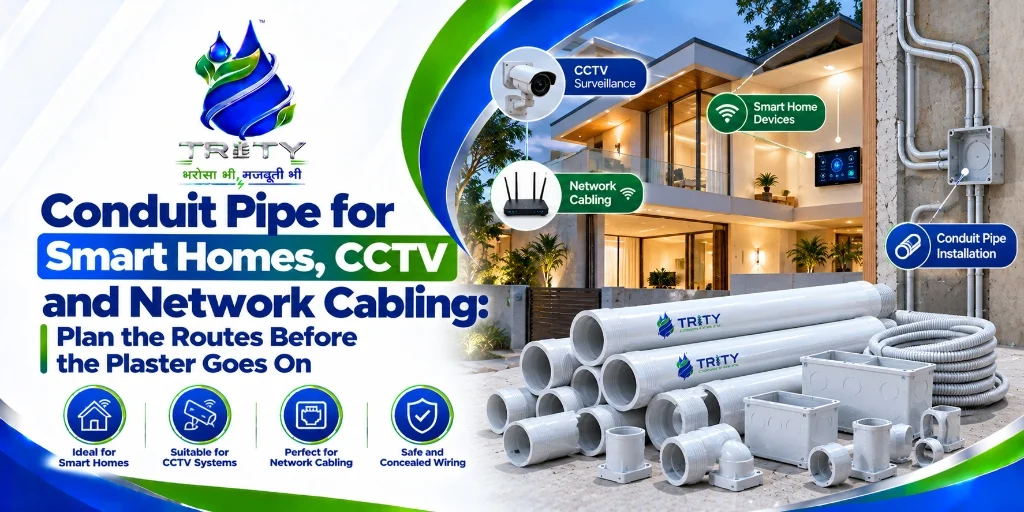
More homes and offices now have CCTV cameras, video doorbells, Wi-Fi access points, smart switches, sensors, intercoms and entertainment systems. Almost all of it needs cable at some point, and almost all of it is easier to install at the wiring stage than after the walls are finished. A camera that should have been a neat wired point ends up with a cable stuck on the wall. A Wi-Fi access point that needed a wired uplink never gets one.
The good news is that this is simple to plan. A few extra conduits, laid when the main electrical conduit goes in, give a home or office routes for every system you can think of today and for those you cannot yet. This guide explains how to plan low-voltage conduit for smart homes, CCTV and network cabling: where the routes should go, which size and grade to use, how to keep power and data apart, how to handle outdoor camera runs, which mistakes to avoid and how to order from Trity Pipes.
Why conduit for low-voltage cabling
Low-voltage cable is thin and cheap, so people often lay it loose. Conduit is still the better choice, for four reasons.
- Future-proofing. Technology changes faster than buildings. A conduit with a draw wire lets you pull a new cable years later without opening a wall.
- Protection. Conduit shields cable from plaster, moisture, rodents and damage during finishing work.
- Neatness. Cables run in the wall, with clean outlets and no visible wiring.
- Easy repair. A damaged cable can be pulled out and replaced rather than chased out of the wall.
What a smart home actually needs
A typical smart home or well-planned modern home uses several kinds of low-voltage cable.
- Network cable (Cat6 or similar) to Wi-Fi access points, desks, TVs, set-top boxes and media rooms
- CCTV cable, either network cable for IP cameras or coaxial cable for older systems
- Intercom and door entry cables
- Sensor and control cables for automation hubs, motion sensors and keypads
- Speaker cable for audio systems
- TV and satellite cable
Smart switches and controls also need power, and many of them need a neutral wire at the switch box, so plan the main electrical conduit with that in mind, and discuss it with your electrician before the walls are closed.
Where to put the conduits
Walk through the layout and mark the points that need a wired connection.
- A central location for the network rack or router, typically a utility room, a cupboard or near the main entrance, with a conduit run to each room
- Wi-Fi access point positions, usually on ceilings in the middle of each floor
- CCTV camera positions, at gates, entrances, driveways, corridors and the perimeter
- TV and media points, in living rooms and bedrooms
- Desks and work points in study or home office areas
- Doorbell and intercom positions
- Spare points in rooms that may change use
Each of these should have a conduit going back to the central location, rather than daisy-chained from point to point.
Sizes and fill
Low-voltage conduits are usually smaller than power conduits, but it helps to size them generously.
- 20mm suits one or two network or CCTV cables to a single point
- 25mm suits several cables to a room, or runs with a few bends
- 32mm and larger suit backbone runs between floors, from the rack to a distribution point, or bundles of cables
Leave room to pull additional cables later. As a rule of thumb, many installers keep conduit fill well below capacity when several cables share a run, and follow the project specification for exact limits. Our conduit pipe size chart shows how sizes match cable fill, and our guide on calculating conduit pipes and fittings for house wiring explains how to estimate quantities.
Bends, pull boxes and draw wires
Pulling cable through conduit is easy if the route is simple and hard if it is not.
- Keep bends gentle. Use sweeping bends rather than sharp 90-degree elbows where possible, because network cables do not like tight bends.
- Limit the number of bends between pull points, and add a pull box if a run has several turns.
- Leave a draw wire (a pull string) in every conduit, so that new cables can be pulled later.
- Fit junction or pull boxes at sensible intervals on long runs, in accessible places.
- Cap the ends during construction so that plaster and debris do not enter the conduit.
Our guide on how to bend uPVC conduit without cracking explains how to form clean bends, and our guide on common conduit installation mistakes lists errors to avoid.
Keep power and data apart
Mixing power and low-voltage cable in the same conduit can cause interference and safety issues, and it is generally avoided.
- Use separate conduits for power and low-voltage data cables
- Maintain separation between power and data routes, following the project specification and the cable manufacturer's guidance
- Cross power cables at right angles where routes must cross
- Label every conduit at both ends, so that it is clear what each one carries
CCTV and outdoor camera runs
Outdoor cameras bring a few extra demands.
- Use UV stabilised conduit for exposed runs, with sealed boxes and glands at the camera, so that water does not enter. Our guide on UV resistant conduit for outdoor wiring explains what to check.
- Use HMS grade where conduit is exposed to knocks, and fix it securely.
- Keep a drip loop at the camera entry.
- Plan underground routes for gates, boundary walls and detached buildings, with depth and protection. See our guide on underground conduit pipe for cable protection.
- Mind cable length limits. Standard network cabling has a practical length limit of about 100 metres per run, so long runs to distant cameras may need a switch or a fibre link along the way.
- Plan power for cameras if they are not powered over the network cable.
Smart homes in existing buildings
Many people add smart systems to an existing home. Chasing walls for new conduit is messy, so consider surface-mounted conduit in less visible places, such as skirting lines and corners, and use the existing conduits where they have spare capacity. Our guide on rewiring an old house explains how to retrofit conduit with minimum disruption, and our guide on concealed and surface wiring compares the two methods.
For builders and developers: make it a standard
Builders who offer wired smart-home provisions, such as network points, camera conduits and a central rack location, give buyers a visible advantage at low cost. Specify the low-voltage conduits in the drawings, use consistent sizes and grades across all units and keep the as-built records. For repeated layouts, buy matching material in single batches and phase delivery against construction. Our guide on buying conduit pipe in bulk explains how to structure an order.
A simple checklist for a new home
- A conduit from the central rack location to every room
- A conduit to every planned Wi-Fi access point position
- A conduit to every planned camera position, indoor and outdoor
- Separate conduits for power and data
- Draw wires in every conduit
- Pull boxes on long runs and runs with several bends
- Spare conduits for future use
- Labels at both ends, and drawings that show every route
Why electricians and builders choose Trity Pipes
Trity Pipes is a manufacturer of uPVC conduit pipes and fittings made from lead-free, high-grade virgin raw materials, certified to IS 9537 Part 3 with ISO certification. For homes, offices and developments, we offer:
- LMS, MMS and HMS grades and sizes from small low-voltage runs to larger backbones
- A full range of fittings, including bends, couplers, junction boxes and saddles, from one manufacturer
- Certification documents on our certifications page and on request
- Bulk and phased quotations for builders and contractors
- A Delhi NCR factory with dispatch to 20-plus states and a dealer network of more than 1,500 dealers
See the uPVC conduit pipes and fittings range and ask our team for the Trity Pipes price list.
A worked example: a three-bedroom flat
Take a three-bedroom flat with a central cupboard near the entrance for the router and a small network switch. A sensible plan runs a 25mm conduit from the cupboard to each bedroom and the living room, a 20mm conduit to each of two ceiling positions for Wi-Fi access points, a 20mm conduit to a doorbell camera at the entrance, a 20mm conduit to a balcony camera position, and a 32mm conduit from the cupboard to the distribution board area for future expansion. Every conduit gets a draw wire, a label at each end and a spare cap. The extra material costs little at the time of wiring and saves a lot of trouble later.
What Trity Pipes offers for smart-home projects
Builders and electricians often ask for a small set of sizes that suit low-voltage routes, with matching boxes and bends. Trity Pipes makes conduit in the common sizes and a full range of fittings, and our team can help you turn a layout into a material list. For developers who offer smart-home provisions across many flats, we can discuss a standard low-voltage conduit package and phased supply that follows construction. Electrical dealers who serve home automation installers can ask about stocking the sizes that those customers use most.
Frequently Asked Questions
Do I need separate conduit for CCTV and network cables?
Yes, it is good practice to run low-voltage cables in their own conduits, separate from power cables, with a draw wire in each so that new cables can be added later.
What conduit size is best for network and CCTV cables?
20mm suits one or two cables to a single point, 25mm suits several cables or runs with a few bends, and 32mm and larger suit backbone runs. Leave spare capacity for future cables.
Can I use the same conduit for power and data?
It is generally avoided. Use separate conduits and keep the routes apart, following your specification and cable manufacturer's guidance.
Which conduit should I use for outdoor CCTV cables?
Use HMS grade with UV stabilised compound for exposed runs, with sealed boxes and a drip loop at the camera. Underground routes need adequate depth and mechanical protection.
How do I add smart-home cabling to an existing home?
Use spare capacity in existing conduits where possible, and add surface-mounted conduit along skirting lines and corners where chasing walls is not practical.
Can Trity Pipes supply conduit for a smart-home development?
Yes. Share your layouts, sizes and quantities, and our team will prepare a quotation and discuss phased delivery from our Delhi NCR factory.
Planning smart-home or CCTV wiring? Contact Trity Pipes on +91-9821030072 or +91-9319984755 for a conduit and fittings quotation for ISO-certified uPVC conduit pipe from our Delhi NCR factory.